
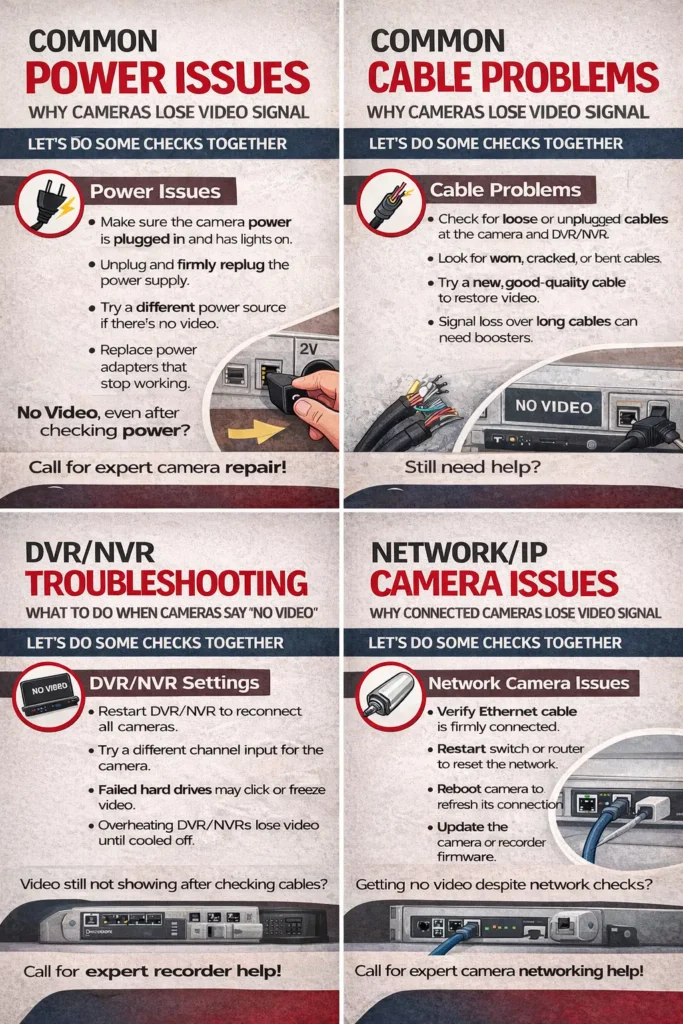
If you’re seeing video loss on your security camera, let’s start with the basics together.
First, please check if the camera has power, most video loss issues come from power problems.
Look at the camera and see if there are any lights on or infrared LEDs glowing at night.
If there’s no light at all, the power adapter may not be working.
Try unplugging the power supply and plugging it back in firmly.
If the camera uses a shared power box, one bad output can cause video loss.
Next, let’s check the cable connected to the camera.
Loose or damaged cables are a very common reason cameras lose video.
Gently push the cable into the camera and the recorder to make sure it’s tight.
If the cable looks bent, cracked, or pinched, it may need to be replaced.
Now let’s look at the DVR or NVR where the cameras connect.
Do you see a “no video” or “video loss” message on the screen?
If yes, that usually means the camera is not sending a signal.
Try swapping that camera cable to another channel to test it.
If the camera shows video on a different channel, the original port may be faulty.
For IP cameras, video loss often comes from network connection issues.
Check that the Ethernet cable is fully connected to the camera and the network switch.
If possible, restart the router and switch to refresh the network.
Sometimes cameras go offline due to IP address conflicts.
A simple camera reboot can fix this in many cases.
Outdated firmware can also cause cameras to stop sending video.
Updating the camera or recorder firmware often restores the video feed.
If multiple cameras are down, the issue may be the power supply or recorder.
Overheating DVRs and NVRs can shut down video channels temporarily.
Make sure the recorder has good airflow and is not inside a closed cabinet.
Hard drive problems can cause cameras to stop displaying video.
If the recorder makes clicking noises or freezes, the hard drive may be failing.
Weather damage can also cause video loss on outdoor cameras.
Water inside the camera usually means replacement is needed.
Power surges or lightning strikes can damage camera inputs.
Using surge protectors helps prevent this problem in the future.
Long cable runs can weaken the video signal over distance.
Signal amplifiers may be needed for longer camera cable runs.
Nighttime video loss may be related to infrared settings.
Check that night vision is enabled and infrared LEDs are working.
If the camera was hit or moved, it may be physically damaged.
Try testing the camera with a known working cable and power source.
If video comes back, the issue is isolated and easier to fix.
Regular system maintenance helps prevent most video loss problems.
If you’d like, a professional technician can diagnose and fix it quickly.